
The Razer Ornata V2 RGB gaming keyboard has quietly become one of the most underrated peripheral choices in 2026. While mechanical keyboard enthusiasts often overlook hybrid switches in favor of “pure” mechanical options, the Ornata V2 strikes a balance that feels almost unfair, delivering the tactile feedback and responsiveness gamers crave without the ear-splitting noise that turns office neighbors into enemies. If you’ve been bouncing between membrane keyboards and full mechanical boards, never quite satisfied, this is the keyboard that might finally end that search. We’ll break down what makes the Razer Ornata V2 different, how it performs in competitive gaming, and whether it’s worth your money in a crowded market.
Key Takeaways
- The Razer Ornata V2 RGB gaming keyboard combines hybrid mechanical switches with a membrane dampening layer to deliver tactile feedback and responsiveness while maintaining a significantly quieter profile than traditional mechanical boards.
- With 1.5ms actuation latency, a 45g actuation force, and rock-solid consistency across all 104 keys, the Ornata V2 performs competitively in FPS and tactical shooter titles where input reliability matters more than raw speed.
- Per-key RGB customization with 16.8 million color options and Synapse 3 integration enables game-specific lighting profiles that auto-switch automatically, making it ideal for streamers and content creators who need minimal keyboard noise during broadcasts.
- At $100-$120 retail, the Ornata V2 offers mid-range pricing that competes favorably against mechanical alternatives while avoiding the compromise of budget membrane boards, with frequent sales bringing prices down to $80-$90.
- The wired USB connection eliminates wireless latency concerns and provides a detachable braided cable with standard USB Mini-B connector for easy replacement without proprietary locks.
What Makes The Razer Ornata V2 Different
The Razer Ornata V2 sits at an interesting crossroads in keyboard design. It’s not a pure mechanical board, but it’s far removed from traditional membrane keyboards. What sets it apart is its commitment to the hybrid experience without compromises.
Hybrid Mechanical Switches Explained
The Razer Ornata V2 uses Razer Hybrid Mechanical Switches, which combine a traditional mechanical switch stem with a membrane layer underneath. This dual-mechanism approach delivers the best of both worlds: the audible click and tactile bump of a mechanical switch paired with the cushioned actuation of a membrane base.
Here’s what you’re actually getting:
- Actuation Force: 45g actuation point, lighter than traditional Cherry MX switches (usually 50g) but heavy enough to avoid accidental key presses during intense gaming.
- Key Travel Distance: 1.5mm of travel to actuation, then an additional 1.8mm to the bottom. This hybrid design means you reach actuation before bottoming out, which is crucial for faster input registration.
- Durability: Rated for 80 million keystrokes per switch, which is solid for a hybrid solution. Not quite mechanical-tier longevity, but well above membrane standards.
- Noise Profile: Significantly quieter than traditional mechanical switches. You get the satisfying click without disturbing everyone in a 5-mile radius.
The hybrid approach means the Ornata V2 doesn’t feel mushy like cheap membrane boards. The membrane bottom acts as a dampening layer that prevents the harsh bottoming-out sensation. Competitive players often dismiss this design, but in practice, the lower latency and consistent actuation point make it genuinely competitive for FPS and fighting games.
Design And Build Quality
Razer’s design philosophy here is understated. The keyboard features a black aluminum frame with a matte finish that resists fingerprints better than glossy alternatives. The keycaps are Razer’s standard ABS plastic, not PBT, which some enthusiasts prefer, but they’re double-shot molded with legends that won’t fade after months of abuse.
The layout is a standard full-size 104-key configuration. Nothing fancy, nothing weird. This matters: you won’t have to relearn muscle memory coming from a standard board. The key spacing and row profiles are identical to what most gamers are already using, which reduces the adjustment period significantly.
Build quality feels solid. There’s minimal flex in the frame when pressing down hard, and the stabilizers on the space bar, shift, and enter keys are pre-lubed and stable. Early versions of Razer keyboards sometimes had wonky stabilizer tuning, but the V2 revision addressed those complaints. The keyboard sits flat without wobbling, and the rubber feet grip your desk effectively.
RGB Lighting And Customization Features
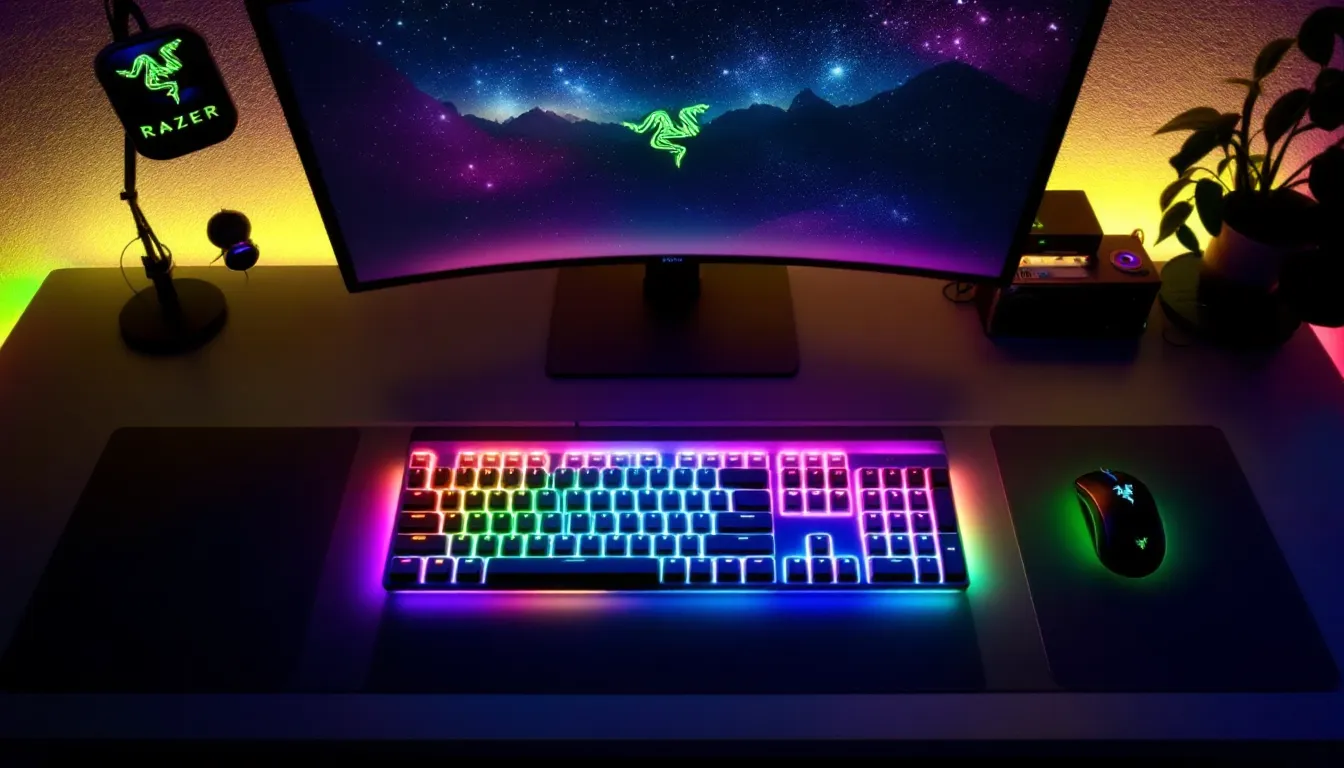
The Ornata V2 is unquestionably a lighting showcase. If you want a keyboard that looks good on stream or matches your RGB setup, this delivers.
Per-Key RGB Customization
Every single key is individually addressable, meaning each one can be a different color independently. Razer packed in 16.8 million color options per key, which is the standard RGB spectrum. The lighting is bright, actually bright. Some RGB keyboards look dim in well-lit rooms, but the Ornata V2’s LEDs punch through even daylight-facing setups.
The stock lighting profiles include:
- Static: Solid color, customizable per key or across the whole board.
- Spectrum Cycling: Rainbow effect rolling through the spectrum continuously.
- Breathing: Keys fade in and out gradually, giving a pulse effect.
- Reactive: Keys light up when you press them, then fade. Useful for visibility feedback.
- Wave: Colors roll across the keyboard in a wave pattern.
None of these are particularly original, every gaming keyboard manufacturer offers variations of the same profiles. But they’re executed cleanly, and the responsiveness is snappy. Reactive lighting is especially useful for competitive gaming because it provides split-second visual feedback on your inputs.
Synapse Integration And Profiles
The Razer Ornata V2 connects to Razer Synapse 3, Razer’s unified peripheral management software. Love it or hate it, Synapse is necessary to unlock the keyboard’s customization potential.
Here’s what Synapse 3 lets you do:
- Custom Profiles: Create game-specific lighting profiles that auto-switch when you launch a title. Play Call of Duty: Warzone? The board automatically applies your red and black war-themed lighting. Fire up Valorant? Boom, instantly switches to your purple and gold setup.
- Macro Programming: Assign custom macros to any key. Not game-breaking for FPS titles, but invaluable for MMOs, strategy games, and productivity work.
- Key Remapping: Rebind any key to any function, including layer swaps for compact keyboard users (though this is full-size, so less relevant).
- Cloud Sync: Your profiles sync across devices using your Razer account, so swapping keyboards doesn’t mean losing your exact configuration.
Synapse isn’t lightweight, it requires a Razer account login, and it runs as a background service. Some users complain about resource usage and occasional connectivity hiccups, but in general it’s reliable. The software is Windows-exclusive: Mac support is limited to basic functionality, and Linux users are out of luck entirely. This is a significant drawback if your gaming happens on non-Windows platforms.
One useful feature: you can set up “profiles” that automatically activate based on which application is in focus. Competitive players often use this to ensure zero distractions, dedicated profiles for their main games with minimal lighting to reduce peripheral distraction.
Performance For Gaming And Typing
How the Ornata V2 actually feels during gameplay and long typing sessions matters more than specs on a sheet. Let’s break down the real-world performance.
Speed And Responsiveness In Competitive Games
Input latency is crucial in competitive shooters. A keyboard with high latency can cost you gunfights in Counter-Strike 2, Valorant, or Call of Duty. The Ornata V2’s hybrid switches register at approximately 1.5ms after you press the key, essentially imperceptible at human reaction times (which average 150-200ms anyway). Professional esports players typically won’t notice the difference between a 1ms keyboard and a 3ms keyboard in blind testing.
What matters more is consistency. The Ornata V2’s actuation point is rock-solid across all 104 keys. There’s no variance in response time from key to key, which is where cheaper keyboards stumble. In Valorant, where precise spray control determines rounds, consistency beats raw speed.
The 45g actuation force sits in a sweet spot. Light enough that you’re not adding unnecessary finger strain during long competitive sessions, but heavy enough that you won’t accidentally trigger keys while resting your hands. Many competitive players from esports organizations prefer 45-50g switches for exactly this reason.
For fighting game players using a keyboard, the Ornata V2’s 3.3mm total travel distance is short enough for rapid button mashing and fast inputs without the bottoming-out harshness of pure mechanical boards. Titles like Street Fighter 6 and Tekken 8 benefit from this responsiveness.
Typing Experience And Comfort
Here’s where the hybrid design really flexes. Typing for extended periods, whether you’re writing in Discord, coding, or crafting strategy documents, feels comfortable on the Ornata V2. The membrane base provides slight cushioning that prevents the finger fatigue you get from bottoming-out on pure mechanical boards.
The typing sound is quieter than mechanical boards but still audible. It’s not membrane-quiet, so you’ll hear your typing, but it won’t wake up everyone on the Discord call like a Cherry MX mechanical board would. This makes it genuinely better for content creators, streamers, and anyone who records audio while playing.
Key feedback is satisfying. The hybrid switch provides tactile feedback without feeling mushy, and the pre-lubed stabilizers mean the space bar doesn’t rattle awkwardly during rapid inputs. Compared to typing on budget mechanical boards with unlubed stabilizers, this is noticeably smoother.
One consideration: if you’re used to genuine mechanical switches with longer travel distances (3.5-4mm), the Ornata V2 might feel shallow initially. But most users adapt within a few hours of use. The muscle memory adjustment is minimal because the key spacing and layout are standard.
Connectivity And Compatibility
The Ornata V2 is a wired keyboard, which some gamers view as outdated and others (particularly competitive players) see as a selling point. Let’s address both perspectives.
Wired Connection And Stability
The keyboard uses a standard USB 2.0 connection via a detachable braided cable. There’s no wireless option, which means you’re tethered to your PC, but this guarantees zero latency variability from connectivity issues. Wireless keyboards eliminate cable clutter, but they introduce potential interference and battery management concerns, trade-offs the Ornata V2 sidesteps entirely.
The detachable cable is genuinely useful. If your cable gets damaged, you can replace it without buying a new keyboard. The connector is a standard USB Mini-B, so you’re not locked into proprietary Razer replacements. The braided cable is approximately 6 feet long, which is adequate for most desk setups. If you need longer reach, generic USB extension cables work fine.
Competitive players actually prefer wired keyboards for good reason. Wireless latency has improved dramatically, but wired connections eliminate even theoretical sources of delay. In tournaments, you’ll almost never see professional esports players using wireless peripherals, risk mitigation when tournament brackets are worth six-figure prizes.
Compatibility is straightforward: the keyboard works with any PC with a USB port. Windows 10, Windows 11, doesn’t matter. Plug it in and it functions as a basic keyboard immediately. Full functionality (RGB, macros, profiles) requires Synapse 3 installation, but basic key input works out of the box.
Driver And Software Support
Razer provides regular driver updates for the Ornata V2 through the Synapse 3 software. Updates typically address stability, fix compatibility issues with new games, and occasionally add features. As of March 2026, the keyboard is fully supported and receives quarterly updates.
One note: Razer’s support for older products can be unpredictable. The Ornata V2 is current-generation hardware, so support is solid now. But if you’re planning to use this keyboard in 5+ years, there’s no guarantee Razer won’t deprecate Synapse 3 in favor of a new platform. This is inherent to gaming peripherals, software support isn’t guaranteed indefinitely.
The keyboard works with gaming hardware reviewed by PC enthusiasts worldwide, and compatibility with third-party software is strong. Tools like AutoHotkey let you create custom macros and key remaps if you ever need functionality beyond what Synapse offers.
Durability And Maintenance
Gaming keyboards take abuse. Your Ornata V2 needs to survive rage quits, energy drink spills, and the general chaos of competitive gaming.
Build Longevity And Switch Lifespan
Razer rates the Ornata V2’s switches for 80 million keystrokes, which translates to roughly 4-5 years of heavy daily usage before switches typically start to fail. For comparison, Cherry MX mechanical switches are rated for 50 million keystrokes, while cheap membrane boards are often 10-20 million. The Ornata V2 sits comfortably in the middle, which is respectable for a hybrid design.
Real-world durability depends heavily on care. The aluminum frame won’t dent or crack under normal circumstances. The ABS keycaps will develop shine spots after extended use, a cosmetic issue but unavoidable with ABS material. If you’re particular about appearance, PBT keycaps are available as third-party replacements and fit standard switches.
The keyboard has no official water resistance rating, so spills are risky. The circuit board is exposed if you flip it over, and liquid can short components. That said, Razer’s build quality means the board can survive accidental water exposure better than budget keyboards. If you’re careless with drinks during gaming, use a keyboard cover or keep liquids away entirely.
The stabilizers are the weak point. Pre-lubed stabilizers are better than dry ones, but they can develop rattle over months of use as lubricant wears out. This is cosmetic, the stabilizers won’t fail functionally, but the sound becomes slightly unpleasant. Relubing stabilizers yourself is possible if you’re comfortable opening the keyboard, but that voids any warranty.
Cleaning And Care Tips
Keeping the Ornata V2 clean extends its lifespan and maintains that RGB shine. Here’s the maintenance routine:
Daily: A quick wipe of the keycaps with a dry microfiber cloth removes dust and oil buildup. Takes 30 seconds.
Weekly: Use compressed air to blow dust from between the keys. Hold the keyboard upside down over a trash can and short bursts of compressed air dislodge debris. Don’t use a vacuum, the static risk isn’t worth it.
Monthly: More thorough cleaning. Unplug the keyboard. Remove keycaps using a keycap puller (or improvise with a tiny flathead screwdriver). Soak keycaps in warm water with a drop of dish soap for 30 minutes, then scrub gently with a soft toothbrush. Rinse and dry completely before reinstalling. Use compressed air again on the switch stems and circuit board.
Avoid: Submerging the entire keyboard, using harsh chemicals, and touching the circuit board with bare hands (static). If you spill liquid, unplug immediately, wait 24 hours before powering back on, and consider letting it air dry in a warm, dry space.
Following this routine, you’ll easily get 3+ years of flawless performance from the Ornata V2. The keyboard isn’t fragile, but it benefits from basic care like any electronics.
Pricing And Value Proposition
The Razer Ornata V2 typically retails for $100-$120 USD, which positions it as a mid-range gaming keyboard. Understanding whether that’s worth your money requires looking at what you’re actually getting.
How It Compares To Competitors
In the $100-$120 price bracket, you’re competing against:
SteelSeries Apex Pro: Around $180-$200. Fully mechanical with adjustable actuation, per-key RGB, and excellent build quality. The Apex Pro is objectively a “better” keyboard by traditional mechanical standards, but you’re paying 50-80% more.
Corsair K70 RGB Pro: $140-$160. Fully mechanical, per-key RGB, aluminum frame, and Cherry MX switches. Again, better from a purist perspective, but costs significantly more.
HyperX Alloy Elite 2: $100-$120. Mechanical board at the same price point with solid build quality. Some gamers prefer this to the Ornata V2 because it’s “true” mechanical, though the HyperX noise profile is louder.
Razer DeathStalker V2: $100-$120 (frequently discounted to $70-$80). This is actually Razer’s own competitor to the Ornata V2, it uses optical switches instead of hybrid switches and trades the Ornata V2’s tactile feedback for pure speed. If you prioritize raw responsiveness over feel, the DeathStalker is worth considering.
The Ornata V2’s value proposition is specific: you’re paying mid-range prices for a keyboard that’s quieter than mechanical alternatives, with better tactile feedback than membrane boards, and solid RGB customization. If that appeals to you, particularly the noise reduction aspect, it’s competitive. If you’re a purist who demands “real” mechanical switches, you’ll either spend more or look elsewhere.
Sales and discounts matter. Both Amazon and Razer’s official store frequently discount the Ornata V2 to $80-$90 during sales events. At that price point, it becomes a genuinely good value. At full retail, it’s fair but not exceptional.
Is It Worth The Investment
This depends entirely on your priorities:
Buy the Ornata V2 if:
- You want a quiet mechanical-feeling keyboard for mixed gaming and work.
- You’re building an RGB-heavy gaming setup and want per-key customization.
- You prefer responsive, tactile input without the harshness of full mechanical switches.
- You’re replacing an old membrane board and want a noticeable upgrade without breaking your budget.
- You stream or record content and need a quieter input device.
Skip it if:
- You’re a mechanical keyboard snob and won’t compromise on switch type.
- You need wireless connectivity for cable-free aesthetics.
- You’re on a tight budget, budget mechanical boards ($50-$70) exist and are decent if you don’t care about RGB depth.
- You need extensive macro support for MMOs or strategy games (Synapse does this, but it’s not the keyboard’s strongest feature).
Technically, is it worth it? Yes, for the right person. The Ornata V2 is a competent gaming keyboard that does what it promises. It’s not revolutionary, but it’s not a ripoff either. Research from esports professionals and their gear choices shows that peripheral quality matters less than consistency and personal preference. The Ornata V2 delivers consistency at a reasonable price.
Who Should Buy The Razer Ornata V2
The Ornata V2 isn’t designed for everyone, and that’s fine. Understanding your gaming style helps determine if this is your board.
Ideal For Esports And Competitive Gaming
Competitive gamers often overlook hybrid switches because they’re not mechanical. But the numbers suggest they should reconsider.
The Ornata V2’s 1.5ms actuation latency is perfectly adequate for competitive titles. In Valorant, Counter-Strike 2, and Call of Duty, the difference between 1ms and 3ms latency is imperceptible at human reaction times. What matters is consistency, and the Ornata V2 delivers rock-solid switch stability across all 104 keys.
The quiet profile is actually an advantage in competitive environments. Team communication matters. If your mechanical keyboard sounds like a typewriter, teammates hear your inputs overlaid on voice comms, creating distraction and disrespect. The Ornata V2 eliminates this issue while maintaining tactile feedback. Pro players using this board have competitive credibility because it simply works, not because it’s trendy.
The 45g actuation force aligns with what esports organizations typically prefer. Light enough to reduce finger fatigue during 8-hour practice sessions, heavy enough to avoid accidental inputs. If you’re serious about competitive gaming and play at high ranks in your title, the Ornata V2 won’t hold you back.
One caveat: fighting game competitors might prefer full mechanical switches with longer travel for input feedback. But for FPS and tactical shooters, the Ornata V2 is genuinely competitive.
Best For Content Creators And Streamers
Streamers and content creators have unique keyboard requirements: they need minimal noise during broadcasts, responsive input for gameplay, and profiles that support quick customization for different games.
The Ornata V2 excels here. Its quiet profile means viewers won’t hear distracting mechanical clacking during streams. Reactive RGB lighting adds visual interest to on-screen content without overwhelming it. Synapse profiles let you swap keyboard themes instantly when switching games, creating smooth transitions during multi-game streams.
If you record audio, whether for YouTube videos, Twitch VODs, or podcasts, the Ornata V2’s noise isolation is valuable. Traditional mechanical keyboards introduce audible clicks that require post-production filtering. Hybrid switches eliminate this problem, meaning cleaner raw audio and faster editing.
The macro support through Synapse is useful for streamers managing overlays, chat commands, and streaming software shortcuts. Assigning a key to activate an overlay or trigger a scene change is faster than reaching for a mouse. For content creators juggling multiple tools, the macro functionality adds genuine utility.
Streamers and YouTubers reviewing PC gaming peripherals and components often choose boards like the Ornata V2 specifically because they balance performance, aesthetics, and usability. If you’re building a streaming setup or upgrading from a cheap keyboard, this is a solid choice.
Conclusion
The Razer Ornata V2 RGB gaming keyboard won’t revolutionize your gaming performance or become a cult classic among keyboard enthusiasts. What it does is execute a specific vision cleanly: a quiet, responsive, customizable keyboard that works brilliantly for competitive gaming, streaming, and general computing without asking you to compromise on any front.
Its hybrid switches are the heart of this value. They’re not mechanical, but they’re far more satisfying than membranes. They’re not flashy, but they deliver consistency where it matters, input responsiveness and reliability. The RGB customization is deep without being needlessly complex. Synapse integration, while requiring a Razer account, unlocks profiles and macros that justify the software overhead.
For $100-$120, the Ornata V2 positions itself intelligently. You’re not overpaying for a brand name, and you’re not settling for budget quality. You’re getting a competent, well-built gaming keyboard that suits most gaming styles and use cases. Whether it’s right for you depends on your priorities, but for the right person, it’s exactly the keyboard they’ve been searching for.
If you’re currently using a rubber dome membrane keyboard, the upgrade will feel immediate and worthwhile. If you already own a quality mechanical board, you don’t need to switch. But if you’re on the hunt for your next keyboard and want something that bridges the gap between mechanical and practical, the Ornata V2 deserves serious consideration.