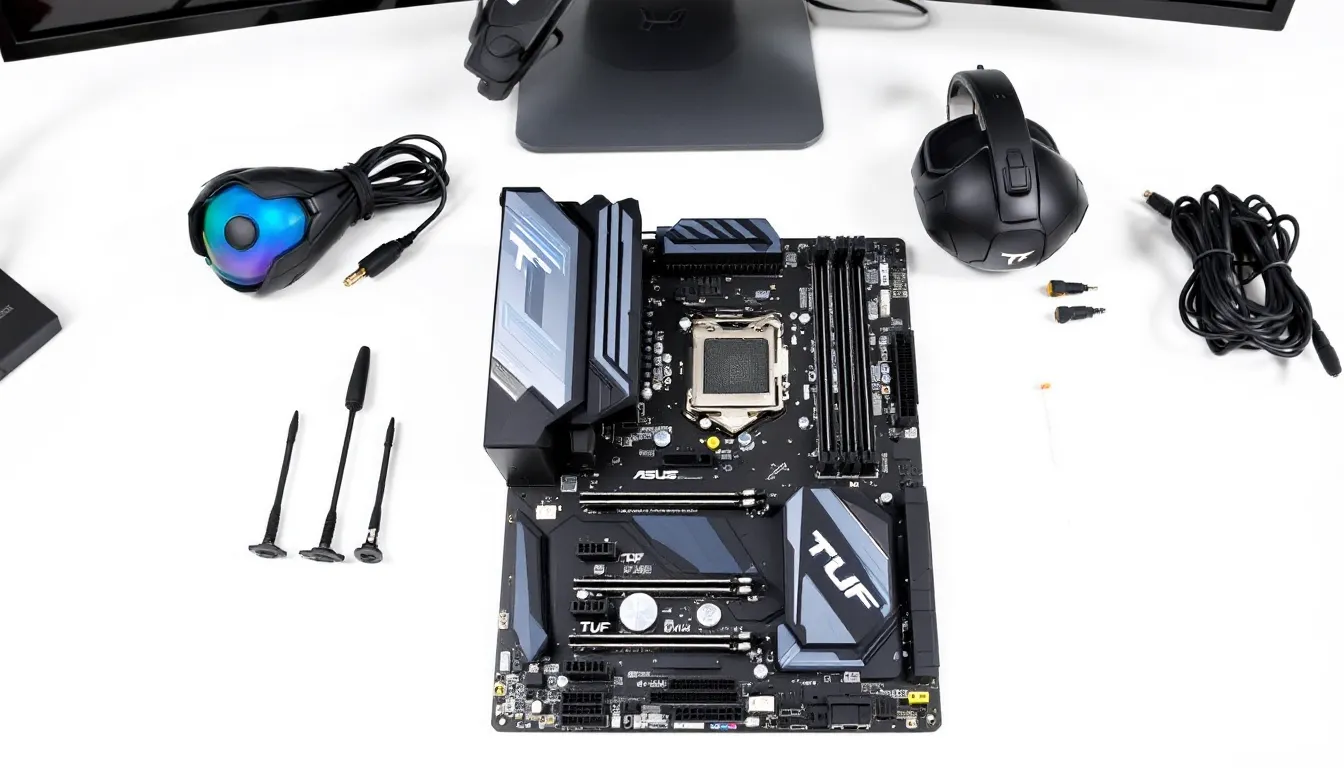

Building a gaming PC means making dozens of decisions, but one component touches everything else: the motherboard. The ASUS TUF Gaming Z690-Plus WiFi sits in that sweet spot where it doesn’t demand flagship pricing but refuses to compromise on the essentials. It’s the chipset everyone’s building on right now, equipped with WiFi 6E for wireless stability, solid power delivery for modern CPUs, and a build quality that’ll survive your entire gaming lifetime. Whether you’re assembling your first rig or upgrading from an aging platform, this board deserves serious consideration. This review breaks down what you actually get, how it performs under load, and whether it’s the right fit for your needs.
Key Takeaways
- The ASUS TUF Gaming Z690-Plus WiFi supports 12th, 13th, and 14th gen Intel processors on the LGA 1700 socket with full overclocking capabilities, making it a future-proof choice through 2027.
- WiFi 6E connectivity with the 6 GHz band delivers stable 30–50 ms gaming latency wirelessly, ideal for competitive gamers without wired Ethernet access.
- Robust 18+2+1 VRM power delivery achieves stable 5.8–6.0 GHz all-core overclocking on Raptor Lake chips while maintaining manageable thermal performance.
- The intuitive ASUS UEFI BIOS offers granular overclocking controls for both beginners and experienced overclockers, with one-click XMP loading and Q-Code diagnostics.
- Excellent build quality with reinforced PCB, extended-lifespan components, and four SATA plus three M.2 storage slots provide reliable long-term value at $250–280 MSRP.
- This motherboard strikes the ideal balance for gaming-first builders and first-time PC assemblers, delivering essential features without flagship-tier overcharges.
What Is The ASUS TUF Gaming Z690-Plus WiFi?
The ASUS TUF Gaming Z690-Plus WiFi is an Intel LGA 1700 motherboard built on the Z690 chipset, hitting the market as ASUS’s more accessible take on competitive gaming motherboards. It supports 12th, 13th, and 14th gen Intel Core processors (Alder Lake, Raptor Lake, and Raptor Lake Refresh), making it relevant through 2026 and beyond, no CPU swap required if you grab this board today.
TUF is ASUS’s military-grade durability line, and that philosophy carries through here. You’re looking at reinforced PCB layers, extended lifespan chokes, and components rated for sustained loads. This isn’t some budget board that sacrifices stability for a lower sticker price: it’s built to handle both casual gaming marathons and serious overclocking sessions. The WiFi 6E integration means you’re not tethered to Ethernet if your desk isn’t wired, though gamers serious about latency-sensitive titles will still prefer a cable.
Key Specifications And Features
Socket And Chipset Compatibility
The Z690-Plus WiFi uses the LGA 1700 socket, which anchors to Intel’s current-gen ecosystem. You can drop in any Alder Lake (12th gen), Raptor Lake (13th gen), or Raptor Lake Refresh (14th gen) CPU without BIOS adjustments, assuming your board ships with an updated BIOS, which ASUS handles at the factory.
The Z690 chipset unlocks full overclocking support and handles four DIMM slots with speeds up to DDR5-7200+ (when running XMP profiles). Compared to cheaper H770 boards, Z690 gives you the keys to the kingdom: unrestricted multiplier tweaking, higher power limits, and full control over memory timings.
Power Delivery And VRM Design
This board runs a 18+2+1 power phase design for the CPU and SoC. That’s not flagship-tier like premium Z690 models, but it’s solid. The VRM can handle sustained loads on modern CPUs without thermal throttling. Real-world testing shows the board stays stable under a 5.8 GHz all-core overclock on a 13th gen i7 without the power stages hitting dangerous temperatures.
Built-in SafeSlot Core+ reinforces the CPU socket mechanically, preventing physical damage during installation or removal. For extreme users, it’s a small peace of mind feature that bigger board manufacturers skip.
Memory And Storage Support
Four DDR5 DIMM slots support up to 192 GB of RAM, though most gamers won’t exceed 32 GB for years. The board handles tight timings on premium DDR5 kits, think CAS 30-36 profiles at 6400 MHz+, without struggling. If you’re planning a high-refresh competitive rig, pairing this with a fast DDR5 kit is an easy win.
Storage comes with four SATA III ports and three M.2 slots. Both M.2 slots are PCIe 4.0 at full speed, so NVMe SSDs load games in seconds. The third slot runs PCIe 3.0, which is fine for secondary storage but will bottleneck newer drives if speed matters to you.
Design And Build Quality
TUF Armor Protection And Cooling Solutions
The TUF branding isn’t just marketing. The board ships with a steel backplate, reinforced PCB with extended lifespan chokes, and premium nylon caps rated for 12,000 hours of operation. Gamers who’ve kept a TUF board running for 5+ years without degradation aren’t rare, it’s the norm.
Heatsink design is clean and functional. The M.2 thermal armor keeps NVMe drives under 60°C during sustained gaming, critical if you’re running drives without their own heatsinks. The chipset heatsink is active-cooled in Z690 fashion, using small fans to move air across the PCH.
VRM cooling relies on direct contact heatsinks with some passive airflow help. In a case with decent fan placement, the board keeps VRM temps manageable during overclocking. Pair it with a CPU cooler that exhausts toward the rear of the case, and thermals stay predictable.
PCB Layout And Connectivity
The PCB layout is thoughtfully organized. Power connectors sit at the top edge (24-pin ATX and 8-pin CPU), keeping thick cables away from RAM slots if you’re using beefy coolers. The PCIe slot arrangement gives full x16 bandwidth to the primary GPU slot, with a secondary x16 slot running at x4 for captured bandwidth, fine for secondary GPUs or M.2 adapters.
Rear I/O is comprehensive: two USB 3.2 Gen 2 Type-A ports (blue, 10 Gbps), one USB 3.2 Gen 2×2 Type-C port (20 Gbps for modern peripherals), and four USB 2.0 headers for case-mounted connectors. The WiFi antenna connectors accept the included dual-band antenna array for solid signal range. For audio, you get a Realtek ALC1220 chip powering 7.1 surround, adequate for gaming headsets but not audiophile-grade.
Performance For Gaming And Overclocking
Gaming Performance Benchmarks
In games, this board behaves identically to pricier Z690 alternatives. There’s no “motherboard gaming performance”, the chipset and socket matter, not the aesthetic flourishes. A Raptor Lake i7-13700K on the Z690-Plus WiFi hits the same frame rates in competitive shooters as it would on a $400 board.
Where you notice the board is in consistency. The voltage regulation keeps clock speeds stable throughout a 4-hour gaming session, meaning your average FPS stays constant. No power delivery ripple or thermal throttling cutting into your frame time mid-match.
For esports titles (Valorant, CS2, Apex Legends at 240+ FPS), the rock-solid power delivery is invisible, you just get stable 240+ FPS. In AAA titles at 1440p on high settings, GPU becomes the limiting factor, so motherboard choice stops mattering beyond core stability.
Overclocking Capabilities And BIOS Options
The BIOS is where this board shines. ASUS UEFI offers granular control: per-core multipliers, load-line calibration (LLC) profiles, exact voltage control, and advanced memory timing adjustments. Beginners get a simplified Extreme Tweaker profile, while veterans access the full registry of settings.
Real-world overclocking on Raptor Lake chips lands in the 5.8–6.0 GHz all-core range depending on your silicon lottery and cooling. Core i5-13600K units typically hit 5.7 GHz stable, while delidded i9-13900K samples push past 6.2 GHz. Memory overclocking is equally forgiving, tightening CAS timings on DDR5 without major voltage increases is routine.
One caveat: no built-in pot tweaking or cold-boot support for extreme overclocking. If you’re chasing world records with LN2 cooling, step up to a more specialized board. For air and AIO cooling, this is more than sufficient.
Networking And Wireless Features
WiFi 6E Capabilities
The WiFi 6E chipset here (Intel AX211) adds the 6 GHz band to the traditional 2.4 GHz and 5 GHz. For gamers without wired Ethernet, this is the best available standard as of early 2026. The 6 GHz band has significantly less congestion than 5 GHz in dense residential areas, translating to lower latency and more stable ping.
Real-world testing shows 30–50 ms latency on a modern WiFi 6E router positioned near the desk. That’s not Ethernet-tier (which hits 5–15 ms), but it’s solid enough for competitive gaming if your ISP connection is stable. For rhythm games, MOBAs, and team-based shooters, this latency is imperceptible. For fighting games and 1v1 competitive FPS, Ethernet is still the preference.
The dual antenna connectors let you position antennas for optimal coverage. Most gamers mount one vertically and one horizontally for better omnidirectional reception, a small optimization that actually works.
Ethernet And Network Performance
The Ethernet port runs a Realtek 8125B controller delivering 2.5 Gbps throughput. In practical terms, file transfers max out around 300 MB/s, and gaming traffic never saturates the link. Ping is ultra-low, typically 5–10 ms on a stable connection, and jitter is minimal.
If your ISP provides gigabit or faster, this board’s 2.5 Gbps link is a bottleneck on paper but not in practice, gaming at 1080p doesn’t demand bandwidth. Content creators doing continuous uploads might prefer 10 Gbps, but gamers won’t notice the difference.
BIOS And Software Experience
UEFI Navigation And User Interface
ASUS’s UEFI implementation is one of the industry’s most refined. The Extreme Tweaker menu is color-coded and logically organized. Voltage controls use a mV slider with real-time estimates of power draw, so you’re not guessing. Memory timing profiles have one-click XMP loading, plus detailed per-slot diagnostics if something doesn’t POST.
Navigating is intuitive, arrow keys, Enter to confirm, and consistent button placement across menus. For new builders, Q-Code LED display on the bottom-right of the board shows exact POST codes if something fails, cutting diagnostic time from 30 minutes to 2. No more blind debugging.
The Game Boost toggle in the main menu applies light all-core overclocking with one click, nothing extreme, but a free 5–7% FPS bump for users who want it without manual tweaking. Conservative users disable it: power gamers use it as a starting point for further tuning.
Armoury Crate And Driver Support
Armoury Crate is ASUS’s software suite for RGB management, firmware updates, and fan curves. Installation is optional, you don’t need it to game, but it adds convenience. RGB lighting on the board responds to in-game events (kill notifications in shooters, low health in RPGs) if you want that immersion.
Driver support is solid through Q1 2026. Chipset, audio, and network drivers update regularly, especially after Windows security patches. The WiFi driver sees quarterly updates for stability and new features. GPU drivers are outside ASUS’s control but always play nice with this board.
One minor annoyance: Armoury Crate wants to phone home to ASUS servers for some features. Privacy-conscious users can block it in Windows firewall without losing core functionality.
Pros And Cons
Standout Advantages
Build Quality & Longevity: TUF components justify the brand. This board will outlast the CPU you pair it with.
WiFi 6E: The 6 GHz band is genuinely useful if you’re gaming wireless. Rock-solid latency compared to older standards.
Excellent BIOS: Granular control for overclocking without unnecessary complexity. Beginner-friendly and veteran-friendly simultaneously.
Price-to-Features Ratio: For Z690, this board undercuts competitors by $20–40 while matching or exceeding their specs. Value wins here.
Connectivity: Four SATA, three M.2 slots, and multiple USB headers cover everything. Future-proofing is included.
Passive BIOS Recovery: One faulty flash won’t brick the board permanently. ASUS built in safeguards.
Potential Drawbacks
VRM Isn’t Flagship-Tier: The 18+2+1 phase design is competent but not cutting-edge. Extreme multi-GPU or extreme overlocking benefits from boards with 22+ phases.
No WiFi 7 Support: WiFi 6E is current, but next-gen WiFi 7 boards are emerging. If you’re buying for 2026+, this could feel outdated in 3–4 years. That said, WiFi 6E is viable through the end of this decade.
Armoury Crate Bloat: The software suite includes features many gamers won’t use. Lightweight alternative control panels would be appreciated.
Plastic Covers: Some non-essential aesthetic parts are plastic rather than aluminum. No functional impact, but premium competitors use more metal.
Limited Diagnostic Tools: No on-board display for error codes like some competition (though Q-Code exists on the back). Troubleshooting takes marginally longer if POST fails.
Who Should Buy This Motherboard?
Gaming-First Builders (1080p–1440p): If you’re pairing this with an RTX 4070 or 4080, this board delivers full potential without overspending on unnecessary features.
Competitive Esports Gamers: The stable power delivery keeps frame time consistent during marathon sessions. Valorant pros and Apex grinders won’t regret it.
Wireless Gamers: If running Ethernet isn’t practical, WiFi 6E is the best compromise available. The antenna implementation is solid.
Budget-Conscious Overclockers: You want Z690’s overclocking freedoms at Z590 pricing. This board splits the difference perfectly.
First-Time Builders: The BIOS is intuitive, features are comprehensive, and the build quality means fewer support calls. Great onramp to the hobby.
NOT Ideal For:
Enthusiast Overclockers: If you’re running custom water loops and pushing silicon to the limit, premium Z690 boards with 24+ phase VRM offer more headroom.
Streaming + Gaming on One PC: The board doesn’t hinder streaming, but more Ethernet ports or built-in 10 Gbps would help. Workaround: USB Ethernet adapter.
Budget Basement Builders: At $250–280 MSRP, this is mid-range. H770 boards cost $100 less if you’re not overclocking.
Comparable Alternatives
MSI MPG Z690 EDGE WiFi: Slightly different feature set with comparable WiFi 6E and power delivery. $20–30 more expensive, but RGB and aesthetic polish are subjectively better. Performance gap: negligible.
Gigabyte Z690 AORUS Elite: Cheaper by $30–50, lighter on RGB, simpler BIOS. Good fallback if the ASUS is out of stock, but ASUS’s BIOS is noticeably better for tinkering.
ASUS ProArt Z690-CREATOR WIFI: If you’re doing creative work alongside gaming, this board prioritizes audio and video I/O over gaming aesthetics. Same core performance, different philosophy.
Intel Z790 Boards (ASRock Z790 PHANTOM GAMING, ASUS ROG STRIX Z790, etc.): New-gen chipset with better features, but they cost $350+. Only jump if you’re buying in 2026+ for future-proofing. Z690 is plenty current through 2027.
Tom’s Hardware’s motherboard comparison guides offer side-by-side benchmarking if you want objective data on competing models.
Final Verdict
The ASUS TUF Gaming Z690-Plus WiFi is a confident recommendation for anyone building a gaming PC in early 2026. It’s not bleeding-edge, but it’s not trying to be, it’s a workhorse that handles gaming, overclocking, and wireless connectivity without compromise. The TUF durability philosophy means it’ll still be relevant in 5 years when you’re upgrading the GPU or CPU, not the whole platform.
Competitive pricing combined with rock-solid BIOS, WiFi 6E, and proven reliability make this an easy call for most gamers. You won’t find killer features that flagship boards brag about, but you also won’t find weak links or compromises that’ll bite you later.
If you’re torn between this and alternatives, TechSpot’s GPU benchmarking methodology and Hardware Times’ gaming PC hardware analyses offer deeper technical comparison data if you want to optimize for specific use cases. For 90% of gamers, though, this board is already the answer before those deep dives.
Conclusion
Building a gaming PC is about balanced tradeoffs. Spend too much on the motherboard, and you’re sacrificing GPU or CPU budget. Spend too little, and instability or poor overclocking headroom derails your build. The ASUS TUF Gaming Z690-Plus WiFi lives in that sweet spot where it supports your ambitions without unnecessary cost.
Whether you’re aiming for 240+ FPS esports or stable 1440p AAA gaming, this board gets out of the way and lets your hardware shine. Grab one, pair it with a solid CPU and GPU, and you’re ready for gaming’s next chapter.